


Download aNobii – Social Book‑Lovers Network, Free & Secure
Overview
aNobii is a dedicated social network for readers, writers, and anyone who loves literature. The platform brings together a massive catalogue of books across every genre, allowing users to search by keyword, explore trending titles, and read authentic user reviews. What truly sets aNobii apart is the personal virtual bookshelf that appears on every profile.
Members can catalogue books they are currently reading, have finished, or plan to read, adding details such as start‑ and finish‑dates, source, personal ratings, and in‑depth reviews. These bookshelves are fully shareable, giving friends and fellow community members a window into your reading habits and recommendations. In addition, aNobii hosts a vibrant “Groups” section where readers can join genre‑specific discussions, organize reading challenges, and even invite Facebook friends to join the conversation.
While aNobii does not host e‑books for direct download, it provides convenient links to trusted online retailers, making the purchase process seamless. The site’s open‑language comment system can occasionally present reviews in unfamiliar languages, but the sheer volume of unbiased information and the ability to connect with fellow book enthusiasts make aNobii an invaluable tool for anyone serious about literature.
Key Features of aNobii
- Personal Virtual Bookshelf: Add books to “Reading,” “Read,” or “Want to Read” shelves, complete with dates, ratings, and custom notes.
- Rich Book Metadata: Store publisher, ISBN, edition, and even the person you lent the book to.
- Community‑Driven Reviews: Access thousands of honest, user‑generated reviews and ratings for every title.
- Genre‑Based Groups: Join or create groups to discuss mysteries, sci‑fi, poetry, or any niche interest.
- Social Integration: Invite Facebook friends, follow other readers, and share shelves on external platforms.
- Search & Discovery Tools: Filter books by keyword, author, language, or popularity, and receive personalized recommendations.
- Purchase Links: Direct connections to major online bookstores for quick, secure buying.
- Multilingual Interface: Supports multiple languages for global readership, though comments may appear in various tongues.
- Privacy Controls: Choose which shelves are public, private, or shared with selected friends.
- Mobile‑Friendly Design: Responsive layout works smoothly on smartphones and tablets.
Installation, Usage & Compatibility
How to Get Started
Getting aNobii up and running is straightforward because it is primarily a web‑based service. Follow these steps for a frictionless start:
- Visit the Official Site: Open your preferred browser and go to www.anobii.com.
- Create an Account: Click “Sign Up,” enter a valid email address, choose a secure password, and confirm your registration through the verification link sent to your inbox.
- Complete Your Profile: Add a profile picture, a short bio, and optionally link your Facebook account to import existing friends.
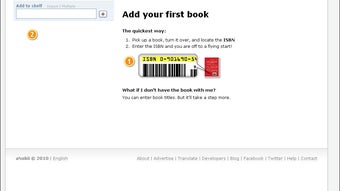
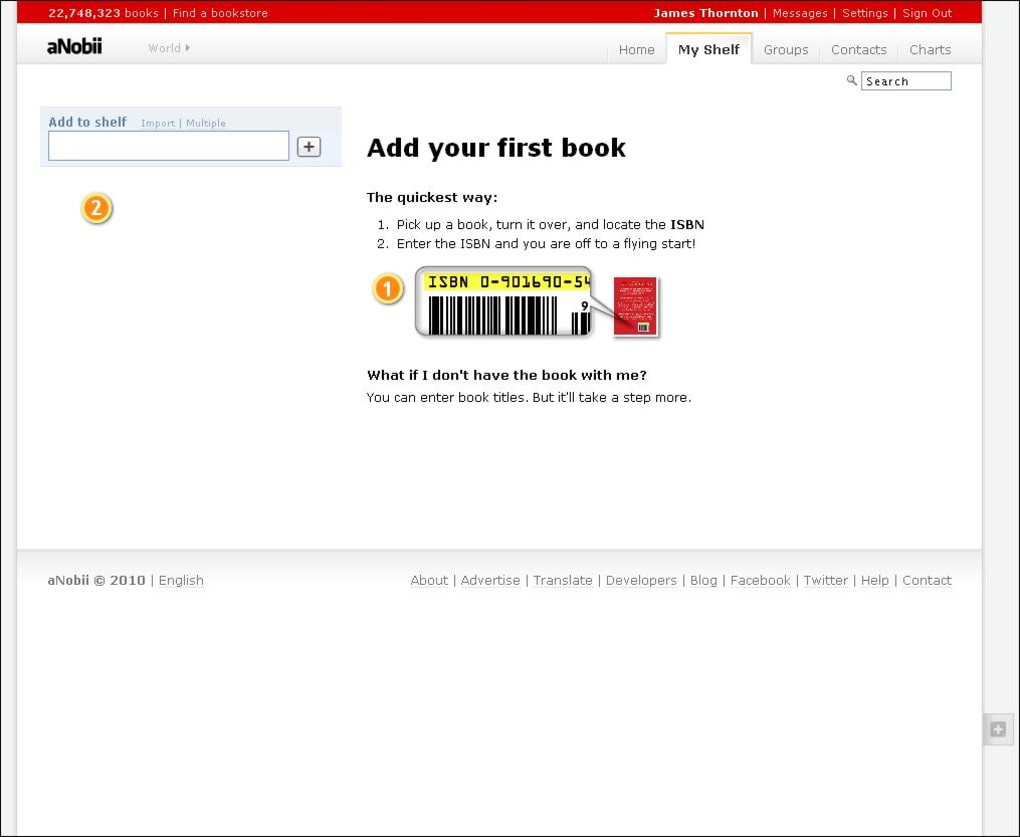
- Build Your First Shelf: Navigate to “My Books,” select “Add a Book,” and start typing a title or ISBN. Choose the appropriate shelf (Reading, Read, Want to Read) and fill in any additional details you wish to track.
- Explore Groups: Click the “Groups” tab, browse categories, and join discussions that match your literary interests.
- Write Reviews: After finishing a book, return to its page, click “Write Review,” assign a star rating, and share your thoughts.
- Purchase Through Links: If you’d like to buy a physical or e‑book copy, click the “Buy” button; you’ll be redirected to a reputable retailer (Amazon, Book Depository, etc.) with your chosen title pre‑filled.
Device Compatibility
aNobii’s responsive design ensures a consistent experience across all major platforms:
- Windows 10/11: Use any modern browser (Edge, Chrome, Firefox) for full functionality.
- macOS Catalina and later: Safari, Chrome, or Firefox provide seamless access.
- Android 6.0+: The mobile‑optimized site works flawlessly on phones and tablets; a native app is also available on Google Play.
- iOS 13+: iPhone and iPad users can access the web version or download the dedicated app from the App Store.
- Linux Distributions: All major browsers are supported, delivering the same feature set.
Tips for Power Users
To make the most of aNobii, consider these advanced practices:
- Utilize the “Import CSV” option (available in the settings) to bulk‑upload your existing reading list from other platforms.
- Set up custom tags on books (e.g., “SummerRead,” “BookClub”) to filter your shelves quickly.
- Enable email notifications for group activity, new reviews on your favorite authors, and price drops on books you’ve wish‑listed.
- Take advantage of the “Lend a Book” field to keep track of who you’ve loaned a title to, preventing misplaced copies.
Pros and Cons
What Readers Love About aNobii
- Extensive catalog covering every genre and language.
- Highly customizable virtual bookshelf with detailed metadata fields.
- Robust community features: groups, reviews, and social sharing.
- Free to use with no hidden fees or premium lock‑outs.
- Responsive design works well on desktop and mobile devices.
Areas for Improvement
- No native e‑book reader or direct download capability; users must purchase books externally.
- Comments and reviews are not language‑filtered, which can lead to unreadable content for monolingual users.
- Occasional UI clutter when navigating large groups or extensive shelves.
- Lack of integration with popular reading‑tracker apps like Goodreads or Libib (requires manual import/export).
- Search algorithm could be more refined for niche or obscure titles.
Frequently Asked Questions
Is aNobii completely free to use?
Yes, aNobii is a free service. You can create an account, build shelves, join groups, and write reviews without any subscription fees. The only costs incurred are when you click purchase links to buy books from external retailers.
Can I import my reading list from another platform?
Yes. aNobii offers a CSV import tool that lets you upload your existing reading data from services like Goodreads, LibraryThing, or a simple spreadsheet.
Does aNobii have a mobile app?
A native app is available for both Android and iOS. The app mirrors the web experience, allowing you to manage shelves, read reviews, and participate in groups while on the go.
How does aNobii protect my personal data?
aNobii uses HTTPS encryption for all data transmission and stores passwords using salted hashing. Users can also control the visibility of each shelf, keeping private reads hidden from the public.
Can I link my aNobii account with social media?
Yes. aNobii allows you to connect your Facebook profile to import friends and share your reading activity directly to your news feed.
Conclusion – Join the Global Reading Community Today
If you’re looking for a secure, free, and feature‑rich platform to catalog your books, discover new titles, and mingle with fellow literature lovers, aNobii delivers on all fronts. Its intuitive virtual bookshelf, extensive review database, and active group forums create an ecosystem that feels both personal and communal. While the lack of an integrated e‑book reader and occasional language noise in comments are minor drawbacks, they are outweighed by the depth of information and the vibrant social experience. Ready to enrich your reading journey? Download aNobii now and start building your literary universe today.



.png)



